
Nodes
Visual workflow editor for building multi-step AI generation pipelines.
Nodes is where you build a generation pipeline instead of running one job at a time. Connect a prompt to an image generator, feed the result into an upscaler, then hand it to a video generator — all as one reusable workflow you can rerun with new inputs.
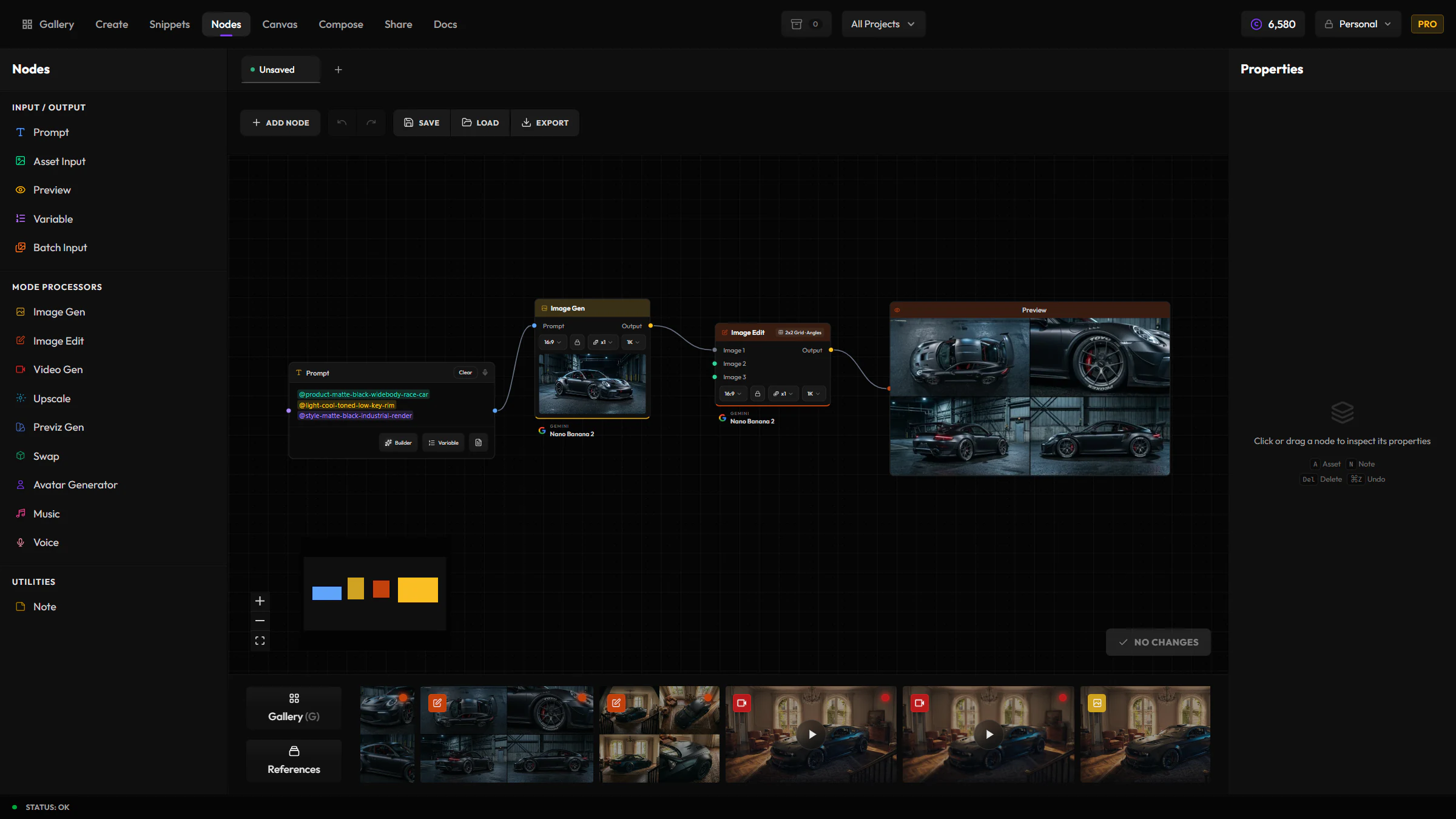
When to reach for Nodes
Reach for Nodes when the same multi-step process — generate, then upscale, then animate — is something you'll want to repeat with different inputs. Use Create for a single generation.
Node types
| Node | Description |
|---|---|
| Prompt | Text input for generation prompts |
| Asset Input | Image or video input from your library or uploads |
| Batch Input | Multiple asset inputs for batch operations |
| Mode | AI generation node (image gen, video gen, edit, upscale, etc.) |
| Preview | Final output collection point |
| Note | Text annotations for documenting your workflow |
| Variable | Reusable values you can change per run |
| Description | Read-only display of generated text, such as the output of a Snippet Generation step |
| Compose Template | Run a Compose template as a graph step |
Adding a Compose Template node
Compose Template isn't in the node palette. Drag a Compose asset from your gallery onto the canvas instead, and it becomes a template node with its authored slots exposed as inputs.
Building a workflow
Add nodes
Drag nodes in from the palette on the left, or add them from the toolbar's node menu.
Connect outputs to inputs
Drag between ports to wire one node's result into the next node's input.
Configure each node
Click a node to open the Properties Panel and set its details — prompt text, model and settings, asset source, or variable defaults.
Set variables
Use Variable nodes for values you want to change between runs, and reference them in a Prompt node with @variable.
Execute
Click Execute. Nodes run in dependency order, and each node's output becomes available to the nodes downstream of it.
Properties Panel
Click any node to configure it:
- Prompt nodes — edit text, add formula variables
- Mode nodes — select provider, model, aspect ratio, quality, and all mode-specific settings
- Asset Input nodes — select from your library or upload new files
- Variable nodes — set default values and types
Execution
Nodes execute in topological order, so a node only runs once everything feeding into it has finished. Progress shows inline on each running node and on the workflow's tab while it works. Results are saved to your gallery, exactly like a normal generation.
Use cases
- Prompt → Image Gen → Upscale — generate and enhance in one step
- Image → Video Gen — turn a generated image into an animated video
- Multiple prompts → Batch image gen — generate variations from different prompts
- Template workflows — save and reuse common pipelines