
Canvas
Infinite board for arranging assets, notes, and sections in a freeform workspace.
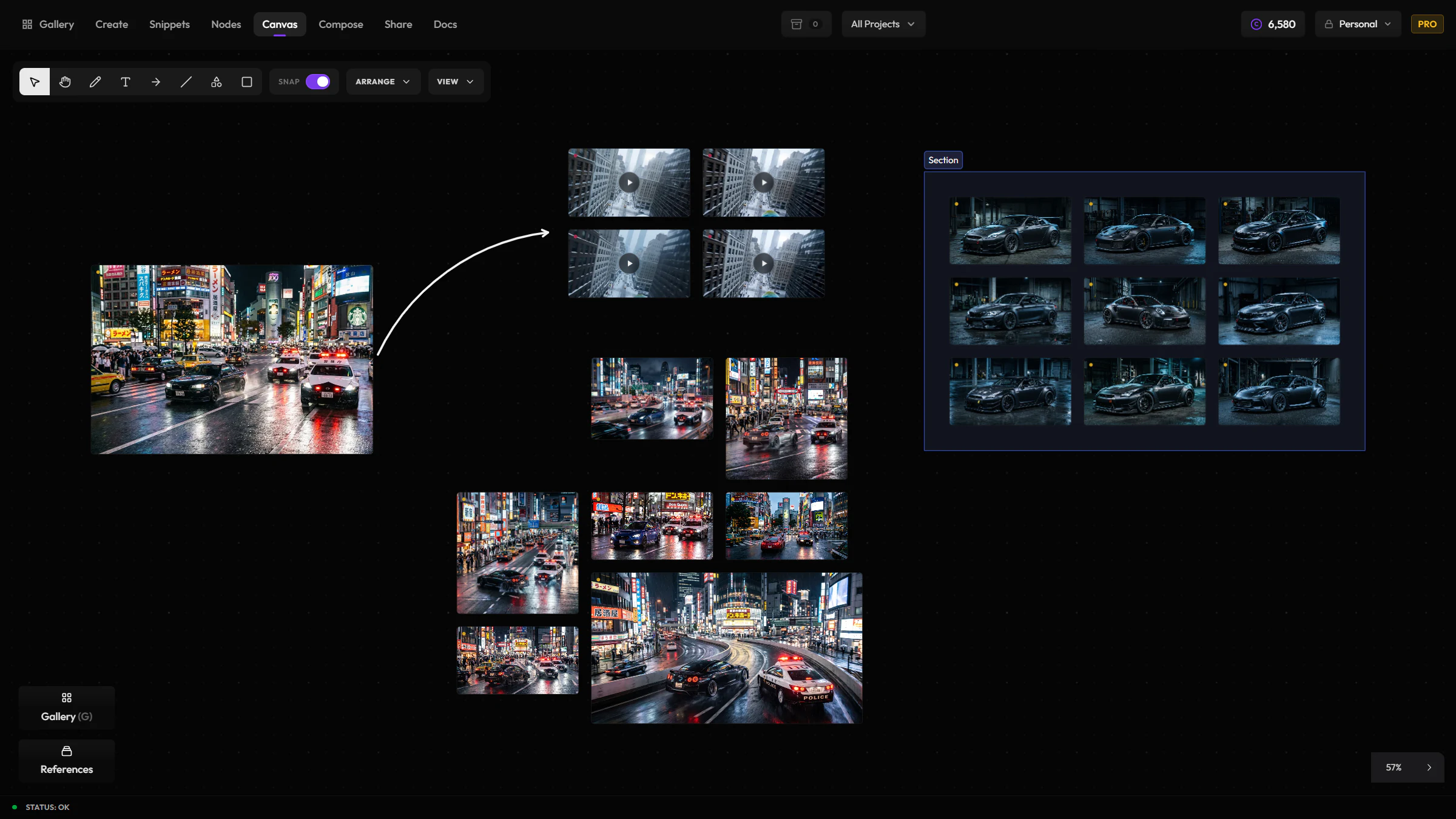
Canvas is where you think spatially instead of chronologically. Drop generations onto an open board, arrange them into moodboards or reference walls, and keep notes next to the media they describe — all without leaving Hylope. Open it from the App Switcher, between Nodes and Compose.
When to reach for Canvas
Reach for Canvas when arrangement and juxtaposition are the point, not a fixed output. Once you need paint tools, effects, or a versioned single image, that's Compose.
What Canvas is for
- Mood boards and reference walls
- Grouping selects for a shot or campaign
- Annotating around media with text and shapes
- Keeping "in progress" sets visible while you generate elsewhere
An infinite, shared board
Pan and zoom freely, and place images, video, and audio as media shapes anywhere on the board. Click any shape to open it in the full lightbox for metadata, lineage, and actions — the same lightbox you use in Gallery and Create.
Canvas syncs live: when a teammate has the same board open, their edits and cursor show up in real time, so a board can double as a shared working surface, not just a personal layout.
Sections and organization
Group related media into titled sections to keep a board readable as it grows. Reorder and resize elements freely, and use sections to hold project context while you browse — a shot's selects in one section, alternates in another.
Inspector
Select a shape or a section and a floating toolbar appears with the relevant controls — style options for shapes, and rename / fit-to-content / title-visibility actions for sections.
Annotating
Use the drawing, text, arrow, line, and shape tools on the toolbar to mark up the board directly — circle a detail, leave a note next to a reference, or sketch a rough layout alongside real media.
How it relates to other apps
| App | Relationship |
|---|---|
| Gallery / Create | Source of assets you place on the board |
| Snippets | Prompt ingredients stay in Snippets; Canvas is for spatial layout |
| Compose | Compose is the fixed-size compositor with paint, layer shaders/FX, masks, and versioned outputs; Canvas is freer and board-like |
| Share | Final client folders and public links still live in Share |